
AI Native Software Development: Benefits, Risks and Adoption
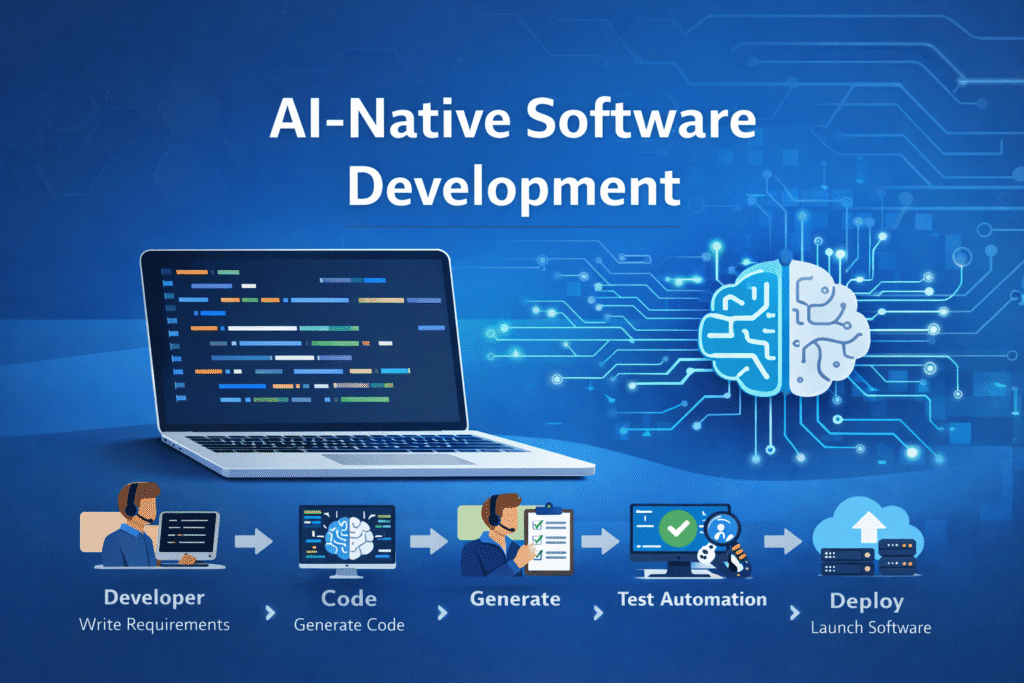
AI native software development integrates AI assistance into how a team plans, builds, tests and maintains software. Developers can use it to explore unfamiliar code, draft changes, propose tests and investigate failures. Engineers remain responsible for requirements, architecture, security and release decisions.
For a business, the useful question is whether AI helps deliver reliable changes at a lower total cost. Generating code faster is only one part of that calculation. Review effort, integration problems and production defects can consume the time saved during implementation.
This guide explains where AI fits in software delivery, which tasks make sensible starting points, how to manage the risks and how to measure a pilot before expanding adoption.
What is AI native software development?
The phrase describes a development process designed to use AI throughout the software lifecycle. Instead of introducing a coding assistant without changing anything else, a team defines how AI receives context, what it may change, which checks it must pass and who approves the result.
The term is used in different ways. In this guide, it refers to building software with AI assistance. An AI native product may instead describe software whose core function depends on AI, such as an intelligent document processing system. A conventional application can be built with AI assistance without containing an AI feature itself.
| Approach | How AI is used | Example |
|---|---|---|
| AI assisted development | A developer uses AI for selected tasks | Explaining a function or drafting a unit test |
| AI native development workflow | AI assistance is built into a controlled delivery process | A scoped change moves through implementation, automated checks and engineer review |
| AI coding agent | An AI system uses tools to carry out several development steps | Inspecting files, editing code and running tests within granted permissions |
| AI product development | The application itself provides AI functionality | A customer assistant that retrieves approved company information |
The right approach depends on the problem, existing systems and team capability. There is no requirement to automate every stage.
Where AI can help in the software development lifecycle
Requirements and planning
AI can turn approved discovery notes into draft user stories, acceptance criteria and questions for the product owner. Its most useful contribution may be exposing ambiguity before implementation starts.
For example, “allow customers to cancel an order” leaves several decisions unresolved: cancellation deadlines, payment settlement, supplier commitments and refund approval. Those rules must come from the business. A plausible AI assumption is not an agreed requirement.
Codebase understanding and implementation
AI can help locate relevant modules, explain unfamiliar functions and propose implementation options. This is useful when extending an existing application or evaluating a legacy system.
Provide the relevant architecture, dependency versions, interface contracts and coding conventions. Ask the tool to identify uncertainty and show which files support its explanation. Review the resulting changes for unnecessary dependencies and alterations outside the agreed scope.
Testing and quality assurance
AI can draft tests and suggest edge cases. Engineers should check that expected results come from requirements or independently verified examples. A test that merely repeats the assumptions in generated code can pass while preserving the same defect.
For a payment integration, useful cases include duplicate notifications, retries, partial refunds, currency precision and failed authentication. Test coverage percentages alone cannot show whether these behaviours are correct.
Code review and security
AI review can highlight suspicious changes and suggest questions for a reviewer. It should form one part of the assurance process. GitHub’s Copilot code review guidance explicitly recommends validating its feedback and supplementing it with human review.
Keep dedicated code analysis, dependency checks and secret scanning. For example, CodeQL analyses code through databases and queries to identify potential vulnerabilities. It is a code analysis engine, not a synonym for generative AI review.
Documentation and maintenance
AI can draft release notes, explain changes and summarise incident evidence. Compare those drafts against the actual implementation and logs. Assign a maintainer to approve documentation and confirm that it does not expose credentials or customer information.
Does AI actually improve developer productivity?
The evidence does not support one universal productivity multiplier.
In a 2025 randomised study, METR studied 16 experienced developers completing 246 tasks in familiar open source repositories. With the early 2025 tools studied, developers took 19% longer when AI was allowed. This was a specific setting and tool generation, not a conclusion about all developers or current tools.
METR’s February 2026 update suggested that benefits may have increased, but participant selection and measurement problems made the size of the effect uncertain. The researchers cautioned against treating the newer estimates as a reliable measure of current productivity.
Separately, DORA’s 2025 research describes AI as amplifying existing organisational strengths and weaknesses. This supports evaluating the surrounding delivery process alongside the tool.
For engineering leaders, the practical implication is to measure complete work. Count the time spent preparing context, prompting, reviewing, fixing and releasing the change. Compare tasks of similar complexity and avoid selecting only the easiest AI successes.
Which software projects are good starting points?
Start with work that has clear requirements, limited consequences if it fails and a reliable way to verify the output.
| Candidate task | Potential value | Essential verification |
|---|---|---|
| Tests for a stable module | Faster preparation of routine cases | Independently confirm expected behaviour and edge cases |
| Internal reporting interface | Quicker development of repetitive components | Validate permissions, filters and reconciled totals |
| API integration adapter | Help with mapping and error handling | Test retries, duplicate events and failed requests |
| Legacy code investigation | Faster orientation and documentation | Confirm explanations against code and observed behaviour |
| Small refactoring task | Reduce repetitive editing | Preserve behaviour with regression tests |
Defer broad autonomous changes to authentication, financial calculations or production databases until the team has stronger evidence and controls. AI may still help investigate these areas, but their consequences warrant closer specialist review.
Teams facing architectural uncertainty should resolve it through application development consulting before automating implementation at scale.
Example: using AI to build an order integration
Consider an illustrative distributor connecting an ecommerce store to an inventory system. This is a hypothetical workflow, not an Inventh client case study.
The integration must create an order once, map product identifiers correctly and recover when the inventory system is unavailable. An AI tool can help draft field mappings, interface code, test fixtures and logging.
The engineer should first define what happens when an order contains an unknown SKU, a duplicate notification or a line item that cannot be fulfilled. A retry must not create a second order. Logs must support troubleshooting without exposing sensitive customer data.
Before release, test the integration against a sandbox and reconcile the source and destination records. Record how failures are queued, who receives alerts and how an operator can safely retry processing.
The acceptance criterion is a reliable business transaction. Whether the first draft of the adapter took minutes or hours is secondary to that outcome.
Security and reliability controls to establish first
Define information boundaries
Specify which repositories, documents and data categories may be shared with each tool. Review the actual plan, contract, retention settings and access controls. Do not assume every commercial AI subscription treats confidential code identically.
Use synthetic or appropriately sanitised test data when possible. Keep credentials outside prompts and source files.
Limit agent permissions
Give coding agents access only to the environment and tools needed for the task. Begin with isolated branches and restricted credentials. Require approval for destructive database changes, production deployments and changes to access policies.
Treat instructions found in external documents, issues or dependencies as untrusted input. They should not be able to expand the agent’s permissions or redirect sensitive information.
Preserve independent checks
Require a reproducible build, relevant tests, dependency review and an accountable reviewer before release. Document rollback steps for changes that affect customer transactions or stored data.
NIST’s Secure Software Development Framework, Version 1.1 provides a foundation for integrating security practices into the development lifecycle. Using AI does not remove the need for those practices.
Control maintenance debt
A working demonstration can conceal duplicated logic, weak error handling and excessive dependencies. Review how the change will be monitored, updated and supported. Require developers to explain important decisions rather than accepting code they cannot maintain.
How to choose AI development tools
Evaluate tools on representative tasks from your own environment. A polished demonstration or a public benchmark cannot settle whether a tool fits your repository and delivery standards.
Assess six factors:
- Task quality: Does the tool produce correct, maintainable changes on the work you actually do?
- Context handling: Can it use relevant repository instructions, documentation and tests without ignoring important constraints?
- Data controls: Can your organisation enforce suitable access, retention and confidentiality settings?
- Reviewability: Can engineers inspect the changes, execution results and reasoning needed to verify the work?
- Integration: Does it fit your editor, source control, build pipeline and approval process?
- Total cost: What do licences, usage, setup, supervision and rework cost together?
A simple assistant may be sufficient for one team. Another may benefit from an agent that runs tests and prepares changes across several files. Select the level of autonomy that your verification process can support.
A practical four week adoption pilot
This is a suggested pilot structure, not a delivery promise or a guarantee that four weeks provides enough evidence.
| Period | Accountable owner | Work | Decision evidence |
|---|---|---|---|
| Week 1 | Engineering lead and security owner | Select one repository, define permitted use and establish a baseline | Documented task types, controls and comparison method |
| Week 2 | Pilot developers | Use AI on small, representative changes | Implementation, review and rework time per task |
| Week 3 | QA and technical lead | Test correctness, inspect failure patterns and improve instructions | Defects, rejected changes and recurring causes |
| Week 4 | Engineering manager and business sponsor | Review costs and decide whether to expand, revise or stop | Quality adjusted delivery results and remaining risks |
Define success and stopping conditions before the pilot. For example, require lower total effort without an unacceptable increase in escaped defects or security findings. Choose thresholds appropriate to your baseline and risk tolerance.
Small samples can be misleading. Extend the evaluation if the tasks are too few, unusually simple or unrepresentative. Record learning effects and changes to tools or models that make comparisons less reliable.
How to measure ROI from AI assisted development
Track accepted business outcomes alongside engineering effort.
| Measure | What it helps reveal |
|---|---|
| Total effort per accepted change | Whether implementation savings survive review and rework |
| Time from agreed task to release | Whether delivery actually reaches users sooner |
| Defects found after release | Whether faster output increases downstream cost |
| Review queue time | Whether code generation has moved the bottleneck to reviewers |
| Tool and operating cost | Whether the workflow is commercially sustainable |
| Business outcome | Whether the delivered change improves the intended process |
A useful planning calculation is:
Net capacity value = verified hours released × relevant hourly cost − incremental tool and operating costs.
Illustrative monthly example: if comparable completed work releases 30 hours at an assumed loaded cost of $50 per hour, the capacity value is $1,500. If incremental licences, usage, administration and training allocation total $600, estimated net capacity value is $900.
If another 10 hours of review or rework were omitted from the initial measurement, subtract $500. Net capacity value then falls to $400. Do not subtract review twice if it was already included in the verified hours released.
These are hypothetical inputs, not measured Inventh results. Released capacity becomes cash savings only when spending actually falls. It may instead allow the team to deliver more work. Avoid counting the same hours as both a cost reduction and additional delivery value.
Frequently asked questions
Can AI develop an entire application?
AI can generate substantial application code and carry out connected implementation tasks. A business application still needs validated requirements, integrations, access controls, testing, deployment and ongoing ownership. Assess the finished system against those requirements before treating it as production ready.
Will AI replace software developers?
AI can automate parts of development work. It does not remove responsibility for understanding business requirements, choosing architecture and verifying results. Staffing decisions should follow evidence from the team’s actual workload rather than assumed productivity multipliers.
Is AI generated code secure?
Its origin does not establish security. Apply code review, relevant tests, dependency checks and security analysis. Give sensitive components closer scrutiny and verify that the chosen tools cover the languages and frameworks involved.
Can we use AI with legacy software?
Yes, AI can help explain code, draft documentation and propose changes. Begin with small modules and establish behaviour tests before modifying critical workflows. Where existing behaviour is poorly understood, investigate it before asking AI to rewrite it.
How much does AI assisted development cost?
Costs depend on the tools, usage, repository complexity, training and review effort. Compare total cost per accepted change rather than subscription price alone. A scoped pilot provides a more useful estimate than a general claim about lower development costs.
Where should an organisation start?
Choose one repeatable task in a repository with a reliable build, clear ownership and meaningful tests. Establish information boundaries, record a baseline and compare quality and total effort before expanding use.
Discuss your software development priorities with Inventh
The strongest starting point is a specific delivery problem: a difficult integration, an ageing application, slow releases or uncertainty about where AI fits.
Explore Inventh’s custom software development services for application delivery and modernisation, or AI consulting services for readiness, use case selection and governance.
If your goal is to add AI functionality to an existing product, see our AI and machine learning development services.
Discuss your project with Inventh. Share the business objective, current systems and delivery constraints so the conversation can focus on a practical next step.